# Managing systems — slots and addresses
> **What you will learn**
> The screens you meet after [registering a system](/guide/cn-systems) — slots,
> addresses and tags, and what is free versus paid. Work and cost live on Usage.
## Slots — where a machine connects
**One system uses one slot.**
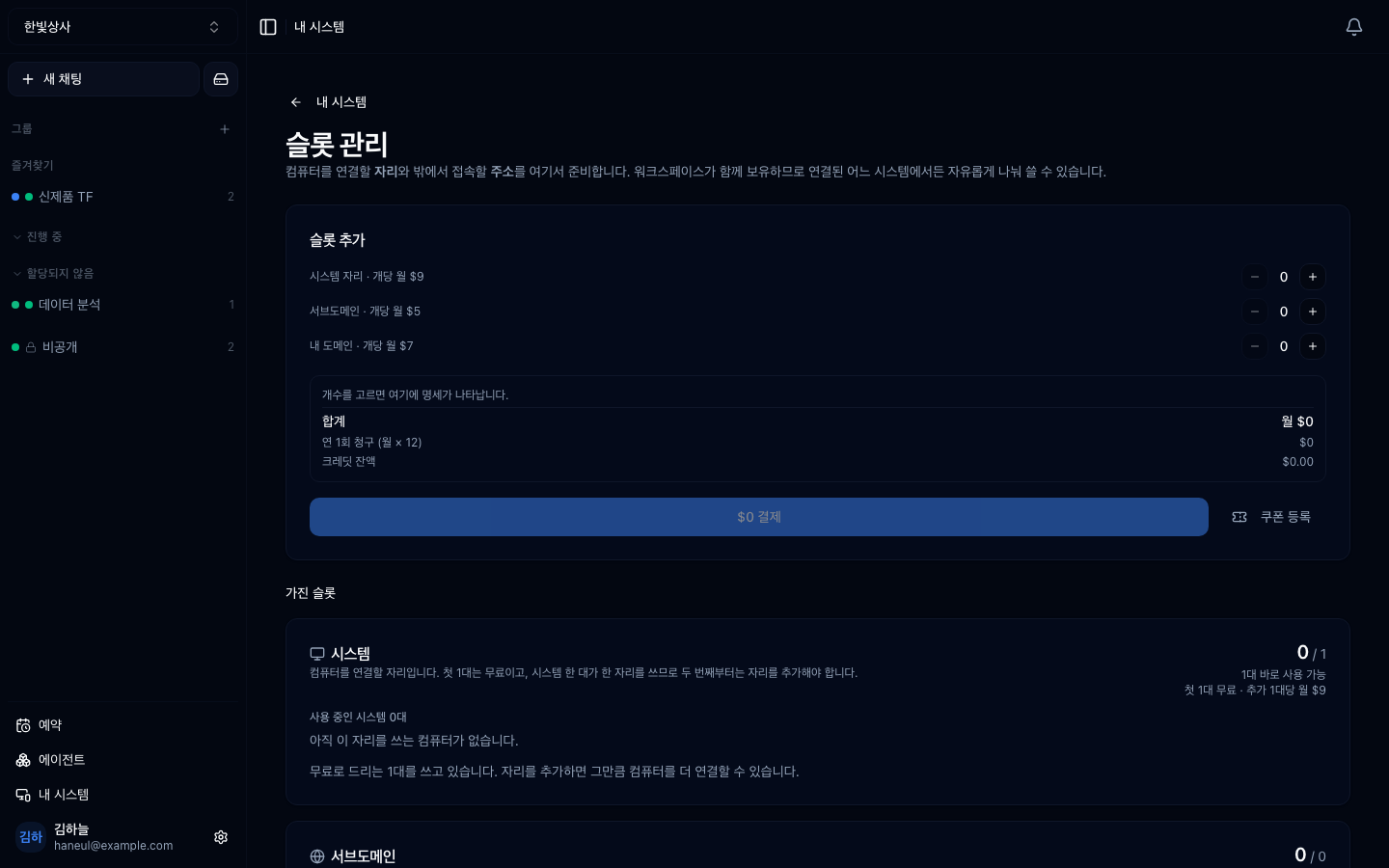
> **The first machine is free.** From the second, you have to add a slot.
This structure matters because **without a slot a system is pushed into
waiting.**
```
1 slot · 2 systems registered
→ 1 connected, 1 "waiting for a slot"
```
**Nothing is lost while it waits.** Records and settings remain, and adding a
slot reconnects it immediately.
## Addresses — two kinds
The address that reaches that machine from outside uses a slot too. There are
two kinds.
| Kind | Meaning |
|---|---|
| **Subdomain** | an address provided so you can start immediately; created from the system in a few clicks |
| **Your own domain** | connect a domain you already own |
**One slot backs one address.** Subdomain slots and custom-domain slots are
separate, so spare subdomain slots do not let you attach your own domain.
```
2 subdomain slots · 1 in use → you can create one more
0 custom domain slots → you cannot attach your own domain (add a slot)
```
## What is free — again
Covered in [connecting a system](/guide/cn-systems), but easy to confuse on this
screen.
| | State |
|---|---|
| Registering a system | **free** |
| **Connecting the first machine** | **free** |
| Handing work to a registered machine | free |
| Viewing progress and usage | free |
| From the second machine | add a slot (paid) |
| External addresses (tunnel) | slots (paid) |
> **Air-gapped (on-prem) installs have neither slots nor public addresses.** The
> screen does not appear at all — an outbound channel breaks the premise of an
> air-gapped setup.
## Tags — grouping machines
With several systems, group them with **tags.**
```
build-server-1 [build]
build-server-2 [build]
dev-pc-kim [dev]
```
Tagging lets you hand work to **"one of the machines tagged build."** You do not
have to name a specific machine.
**Tag by role.** Not by location or specification, but by what kind of work the
machine can take.
## Work lives on the Usage screen
Work sent to your registered machines collects under **Usage** (bottom of the
sidebar). Pick a period and you see how it ended (done, stopped, error), who asked
for it, and which machine spent what — all on one screen.
What stays here is one question: **are my machines connected?** Connection state,
uptime, sessions left for dead, and slots. If two screens counted the same thing,
their periods would drift apart one day — and after that nobody trusts either number.
## Usage
Usage is tallied per machine. If
[workspace usage](/guide/cn-usage) answers "what was it spent on," this answers
**"which machine spent it."**
```
□ is it concentrated on one machine → can tags spread it
□ is a system long unused → can you free its slot
```
**The second bears directly on cost.** An unused machine holding a slot costs
money.
## Periodic review
```
□ are all registered systems actually in use
□ is any system waiting for a slot (that means it is being neglected)
□ is an address attached but unused
□ do the tags match the actual roles
```
---
## Check yourself
**1. What happens to a registered system when slots run out?**
Answer
**It is pushed into waiting.** Records and settings remain intact, so adding a
slot reconnects it immediately.
**2. Can spare subdomain slots be used for your own domain?**
Answer
**No.** Subdomain slots and custom-domain slots are separate; attaching your own
domain requires that kind of slot.
**3. What should tags be based on?**
Answer
**Role.** Not location or specification, but what kind of work the machine can
take — that is what makes "one of the machines tagged build" work without naming
one.
---
Next, stacking requests to run in order →
[Scheduled — stack it up, hand it to the clock](/guide/cn-queue)