# Usage and credits
> **What you will learn**
> How to read the usage screen, what to look at and what to do about it, and how
> credits differ.
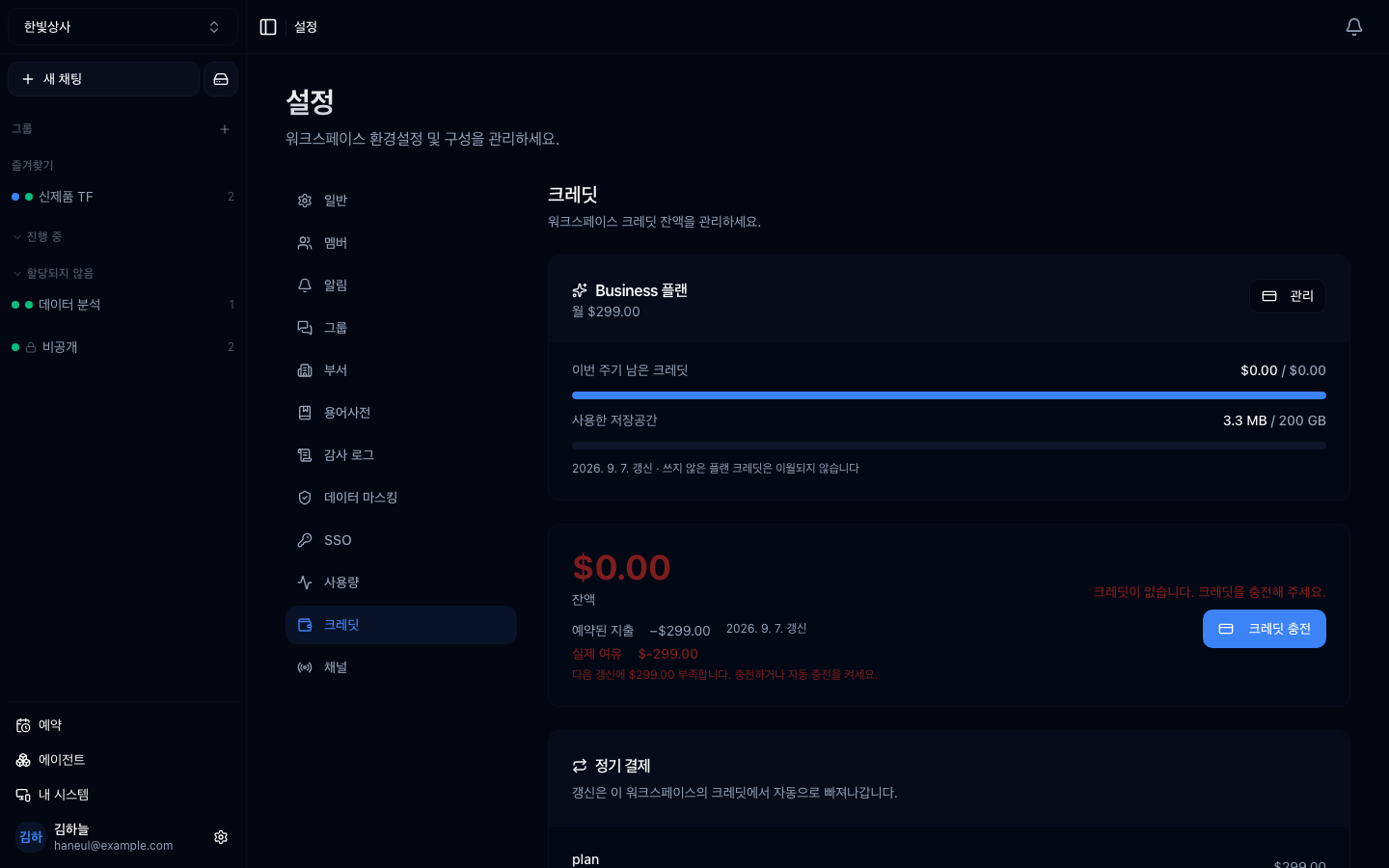
Balance and top-up history appear together. With auto top-up on, it refills by
the amount you set whenever the balance drops below your threshold.
## Two screens
| | The question it answers |
|---|---|
| **Usage** | what was spent on what |
| **Credits** | how much is left |
## The usage screen
Open **Usage** at the bottom of the sidebar. Pick 7, 30, or 90 days and the whole screen speaks for that window — **Connect** (what uses credit) and **Systems** (what your own machines spent) stand side by side.
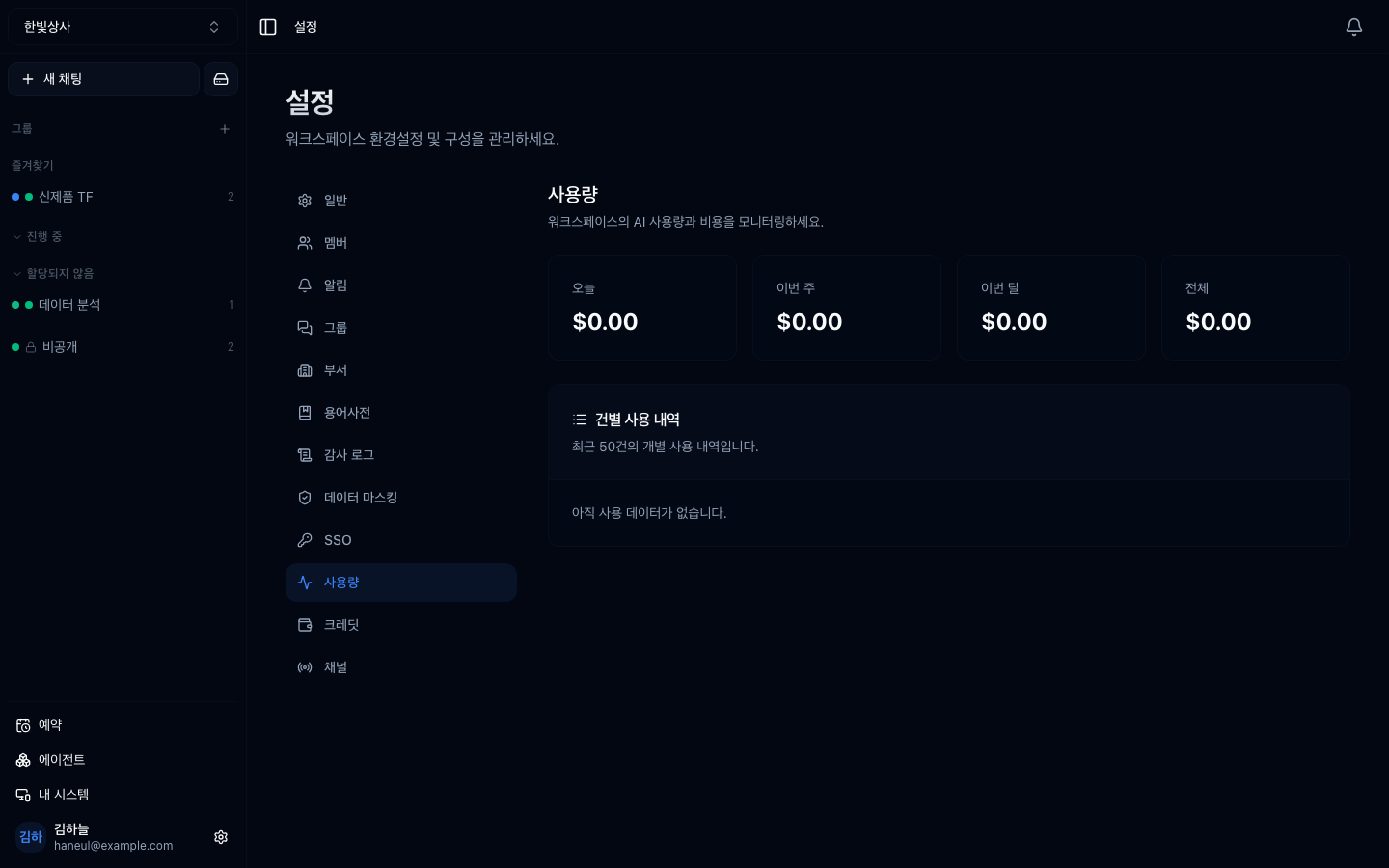
Below, **per-call history** records every invocation.
```
model / time / user / amount
```
## Look at the distribution, not the total
This is the key point. A total only tells you "a lot" or "a little." **The
distribution tells you what to do.**
| What you see | What it means | Action |
|---|---|---|
| One person is most of it | their usage pattern drives team cost | standardise that work or turn it into an agent |
| Expensive models on simple work | model choice does not match difficulty | [model routing](/guide/ha-guardrails) |
| Concentrated at one time of day | scheduled work may be the cause | adjust the cadence on the schedule screen |
| One agent is most of it | its instructions are long or it has many tools | tidy the instructions and tools |
| A sudden increase | a new tool connection or added schedule | check recent changes |
## Three common patterns
### 1. One person is 80%
**Not a bad signal.** It may mean they are using it best.
What to check is **what they are using it on.** If it is a repeating type, turn
it [into an agent](/guide/cn-create-agent) so the whole team can use it.
### 2. Expensive models on simple work
The most common waste. If a heavy model is doing format conversion or simple
classification, there is room to change.
### 3. Concentrated in the small hours
Scheduled runs. Schedules whose purpose has ended, still running, is common —
the problem covered in [scheduled runs](/guide/ht-schedule).
## Credits
**Settings → Credits** holds two things — the **plan** you are on, and the
**balance** stacked on top of it.
| Check | |
|---|---|
| Plan | which tier, and how many credits this cycle issued |
| Balance | how much is left now |
| Burn rate | at this rate, when it runs out |
| Storage | how much of the drive you have used |
> **Credits are not bought — a monthly plan issues them.** Without that model in
> mind the screen doesn't read. The detail is in
> [Plans and tiers](/guide/cn-plans).
### Monthly credits do not roll over
What was issued expires at the end of the cycle. Consumption goes
**earliest-expiring first**, so plan credits are spent before purchased ones.
```
✗ save this month's leftovers for next month → not possible
✓ leftovers every month → drop a tier
✓ short every month → look at the distribution above first
```
### Extra purchases and auto top-up
You can stack extra credits on top of a plan. **Without a plan there is no extra
purchase either** — it is a supplement, not a way in.
When the balance falls below a line you set, **it charges automatically and
refills.** This prevents an overnight scheduled run failing wholesale for lack of
balance.
```
Balance falls below $50 → top up $100
```
**Purchased credits do expire** — one year from the top-up date, matching industry
practice. Put in a lot at once and it may expire unused, so top up to match the
burn rate and leave auto top-up on.
> In air-gapped (on-prem) installs there is no credit deduction. But **usage
> records continue**, because they are used to see adoption.
## The order in which to cut cost
Highest impact first.
```
1. Clear out schedules whose purpose has ended ← daily runs accumulate
2. Turn off unused tools ← definitions ride on every request
3. Lighter models for simple work
4. New threads instead of long conversations ← long conversations cost more
5. Refine agent instructions
```
**1 and 2 are the most effective.** Tidying settings is faster than changing
people's habits.
## Telling the team
There is a caution when raising the subject of cost.
```
✗ "Let's see who spent the most" → usage drops
✓ "Let's see which work costs the most" → you find what to improve
```
**Look at the work, not the people.** Point at heavy users and usage itself
falls, and then so does the transformation.
---
## Check yourself
**1. Why look at the distribution rather than the total?**
Answer
**Because a total only says a lot or a little, while the distribution says what
to do.** Which work, which model, and what time of day all point at what to
improve.
**2. What if one person accounts for 80% of usage?**
Answer
**It may not be a bad signal.** It may mean they are using it best — so look at
what they use it for, and if it is a repeating type, turn it into an agent for
the whole team.
**3. What should you be careful about when raising cost with the team?**
Answer
**Look at the work, not the people.** Point at heavy users and usage itself
falls, and the transformation stops with it.
---
Finally, calling it from outside → [Calling it via API key](/guide/cn-api)