# Living within usage limits
> **What you will learn**
> What a subscription limit is actually attached to, why tools burn through it
> at different speeds, and six ways to get more work out of the same limit.
>
> **If you do not know what a context window is,** read
> [The context window](/guide/ai-context-window) first.
## In one line
> **The limit sits on the *account*, not on the *tool*.**
If you have one Claude subscription, that limit is a **single wallet shared by**
claude.ai chat, Claude Code and Cowork. Each tool does not get its own.
```mermaid
graph TD
S["One Claude subscription
5-hour window + weekly cap"] --> A["claude.ai chat"]
S --> B["Claude Code"]
S --> C["Cowork"]
```
Tidy up research in Cowork in the morning and run tasks in Claude Code in the
afternoon, and the afternoon gets whatever the morning left. **Saving on one
side is what gives the other side room.**
## What actually consumes the limit
People count "how many times did I ask". For agents that arithmetic does not
hold.
| | Asking once | An agent working |
|---|---|---|
| Round trips | 1 | tens to hundreds of turns |
| Sent per turn | your question | **the whole conversation so far** |
| Total | length of the question | turns × context length at that point |
Every time an agent uses a tool it **resends the entire context so far.** So as
turns grow, cost compounds rather than adds. That is why finishing a job in 30
turns versus 90 turns is worse than a threefold difference.
## Which is why tools burn it at different speeds
The deciding factor is not model quality but **how much the tool already knows
when the work starts.**
| Tool | Knows at the start | So |
|---|---|---|
| Chat | only what you pasted | ends quickly |
| **Claude Code** (your machine) | your folders, files and tools | starts on the work itself |
| **Cowork** (sandbox) | an empty environment | spends turns learning the environment |
Anthropic itself says working in Cowork **"consumes more of your usage
allocation than chatting with Claude."** Not because the tool is worse, but
because of the kind of work it is given — anything that walks through many
steps on its own is computation-heavy by nature.
> This is part of why HyperTeams runs agents **on your own machine.** The
> [working directory](/guide/ht-working-directory) is already settled, so the
> agent does not start with "where am I".
## Six ways to get more out of the same limit
### 1. Register working directories up front
Explaining where things are every time makes that explanation context. Register
the folder and the agent starts right there →
[Registering a working directory](/guide/ht-working-directory)
### 2. Match autonomy to the job
Letting it run to the end without stopping costs the most. **"Just draft a
plan"** costs far less and lets you check the direction first →
[Deciding how much to hand over](/guide/ht-autonomy)
### 3. Cut long tasks
Keep going inside one task and the context resent each turn keeps growing. When
the subject changes, starting a new task is cheaper →
[When the context overflows](/guide/ai-context-overflow)
### 4. Send easy work to your own models
Classification, tagging, embeddings — repetitive, low-difficulty work has no
reason to spend subscription limit → [Getting models ready](/guide/ht-local-models) ·
[Your machine as a model server](/guide/ht-model-api)
### 5. Spread across engines
Claude Code uses a Claude subscription, ChatGPT Codex a ChatGPT subscription,
Antigravity a Google account — **the limits live in different wallets.** When
one is blocked you can carry on with another →
[What you need](/guide/ht-prerequisites)
### 6. Do not schedule too tightly
A schedule that fires every 30 minutes spends your limit while nobody is
watching. Match it to how often the answer actually changes →
[Scheduled runs](/guide/ht-schedule)
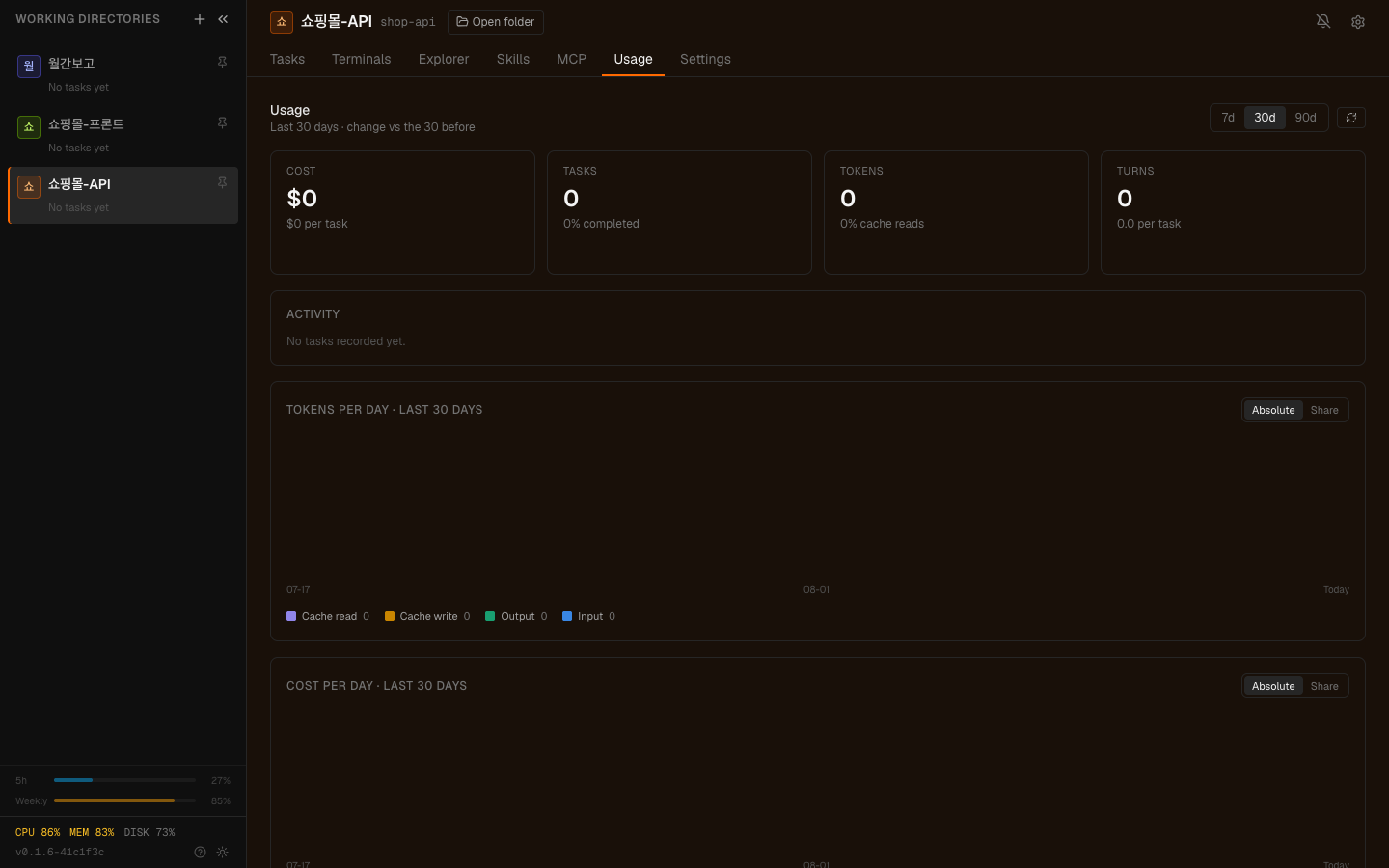
The **⋯ → Usage** tab. Per engine and per task, this is where you see what was spent.
## When you do hit the limit
The task stops with a limit message. Nothing is broken.
| What filled up | When it clears | What you can do now |
|---|---|---|
| The 5-hour window | by itself, once the window rolls | carry on with another engine |
| The weekly cap | when the period resets | keep only what is urgent, pause schedules |
Reviving a stopped task is covered in
[Troubleshooting](/guide/ht-troubleshooting).
## Common questions
### "So I should not use Cowork?"
No. For work the terminal is awkward at — spreading files out, producing
documents — it is the more comfortable place. The difference is only **using it
knowing it shares the wallet, versus not knowing.** On a day with afternoon
tasks queued, do not leave a morning Cowork session running unattended.
### "Does running several at once drain it faster?"
**Faster**, yes. **More**, no. Running five tasks in sequence or at once costs
roughly the same total; running them together just spends that total in a
shorter time. If the problem is that it all lands in one 5-hour window, spread
it with [schedules](/guide/ht-schedule).
### "Is there no limit if I use an API key?"
Instead of a subscription limit you pay **for what you use.** Nothing blocks
you, but nothing caps you either — with an API key you watch a budget rather
than a limit.
---
## Check yourself
**1. What is a Claude subscription's limit attached to?**
Answer
**One account.** claude.ai chat, Claude Code and Cowork share the same 5-hour
window and weekly cap. Each tool does not get its own.
**2. Why can agent usage not be counted as "number of questions"?**
Answer
Because every tool use **resends the whole context so far.** Cost accumulates as
turns × context length at that moment — three times the turns costs more than
three times as much.
**3. For the same job, why does an agent in a sandbox spend more?**
Answer
**It starts from an empty environment.** It spends turns finding out what is
where, and all of that exploration piles into the context. On your own machine
the working directory is already settled, so that stage does not exist.
---
Now make it reachable from outside →
[Access from anywhere](/guide/ht-remote-access)