# Registering a working directory
> **What you will learn**
> What a working directory is and how to split them. This choice shapes how you
> work later.
>
> **If paths are unfamiliar,** start with [Files, folders, paths](/guide/it-files).
## A working directory is a folder to work in
You register a path. **If the path does not exist, it is created for you.**
```
/Users/me/projects/shop-frontend
/Users/me/projects/shop-api
/Users/me/documents/monthly-report
```
Once registered, **one folder is one card on the dashboard.**
## Registering is setting the scope
This is the important part. **A working directory is the agent's area of
operation.**
```mermaid
graph TD
W["Working directory
/projects/shop-api"] --> A["What the agent can see"]
A --> F1["Files in this folder"]
A --> F2["Subfolders"]
X["Outside the folder"] -.->|"not accessed by default"| A
```
So **how you draw the folder is also a safety mechanism.**
| Folder registered | Result |
|---|---|
| `/Users/me` (whole home) | dangerous. Personal files and settings are in scope |
| `/Users/me/projects` | wide. Several projects mixed together |
| `/Users/me/projects/shop-api` | **about right** |
> **Do not register your home folder or the root.** Drawing it only as wide as
> needed is [least privilege](/guide/mcp-security).
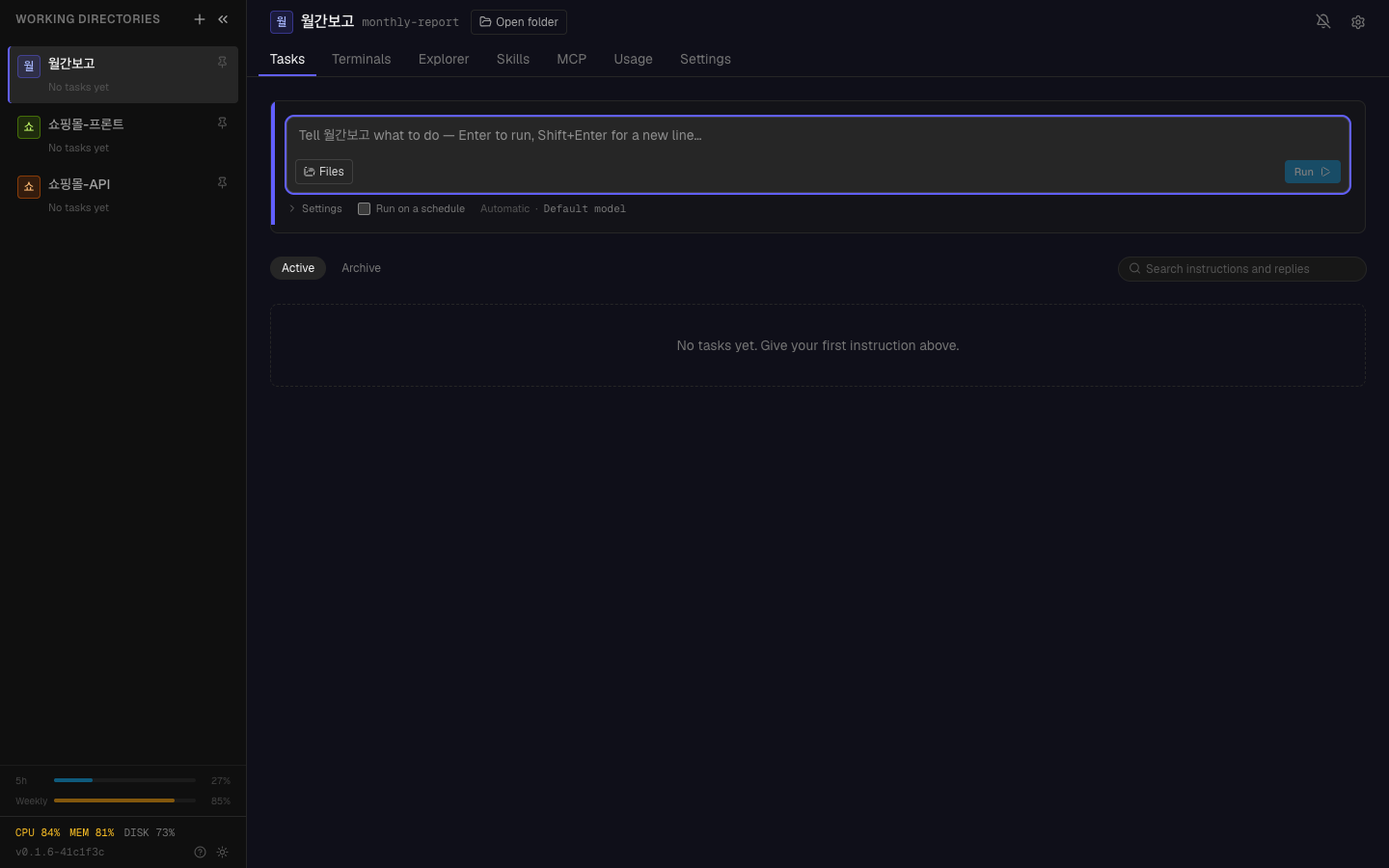
Registered folders stack up as cards, each showing how many tasks are running.
## How to split them
### Criterion 1 — by project
The most natural. One repository, one folder.
```
✓ shop-frontend / shop-api / shop-admin (registered separately)
✗ shop (one parent folder)
```
**Splitting lets you run work in parallel.** Frontend work and API work do not
wait for each other — the same independence as in
[micro-sprints](/guide/ha-micro-sprint).
### Criterion 2 — split when the character differs
```
Code work → /projects/shop-api
Document work → /documents/specs
Data conversion → /work/data-cleanup
```
Different character means different instructions. Mixed together, you re-explain
the context every time.
### Criterion 3 — split when the risk differs
Keep the folder containing production deployment scripts separate from your
experimental folder, because you can give them different autonomy levels — the
subject of [the next chapter](/guide/ht-first-task).
## What you set at registration time
Each folder can carry **defaults.**
| Setting | What |
|---|---|
| Name | the name shown on the card (need not match the path) |
| Default autonomy | the default level for this folder |
| Description | what this folder is (the agent reads it) |
**Writing the description means not explaining it every time.**
```
Example description:
"Shop backend API. Node.js + PostgreSQL.
Do not modify payment code (/payments)."
```
This is writing down
[the context part of a good instruction](/guide/ai-intent-context) once, per
folder.
## Common mistakes
### Drawing the folder too wide
Registering `/Users/me/projects` as one seems convenient, but:
- The agent's visible scope widens and it may touch the wrong files
- Work on several projects gets mixed into one card
- No parallel execution
### Not writing a description
You end up rewriting "this project is Node.js and…" for every task. Write it
once.
### Registering temporary folders and never removing them
Delete folders you no longer use. As cards accumulate, the important ones stop
standing out.
---
## Check yourself
**1. Why should a working directory be drawn narrowly?**
Answer
**Because the working directory is the agent's area of operation.** Register your
home folder and your personal files and settings are in scope. Drawing it only as
wide as needed is least privilege.
**2. What do you gain by splitting a project into several folders?**
Answer
**You can run work in parallel.** Frontend work and API work do not wait for each
other.
**3. What changes when you write a folder description?**
Answer
**You stop re-explaining the context on every task.** It is the context part of a
good instruction, written once per folder.
---
Now hand over your first task → [Your first task](/guide/ht-first-task)