이 장에서 배우는 것 초대 방법, 세 역할의 차이, 그리고 실무에서 역할을 어떻게 배분하는지.
설정 → 멤버에서 이메일로 초대합니다.
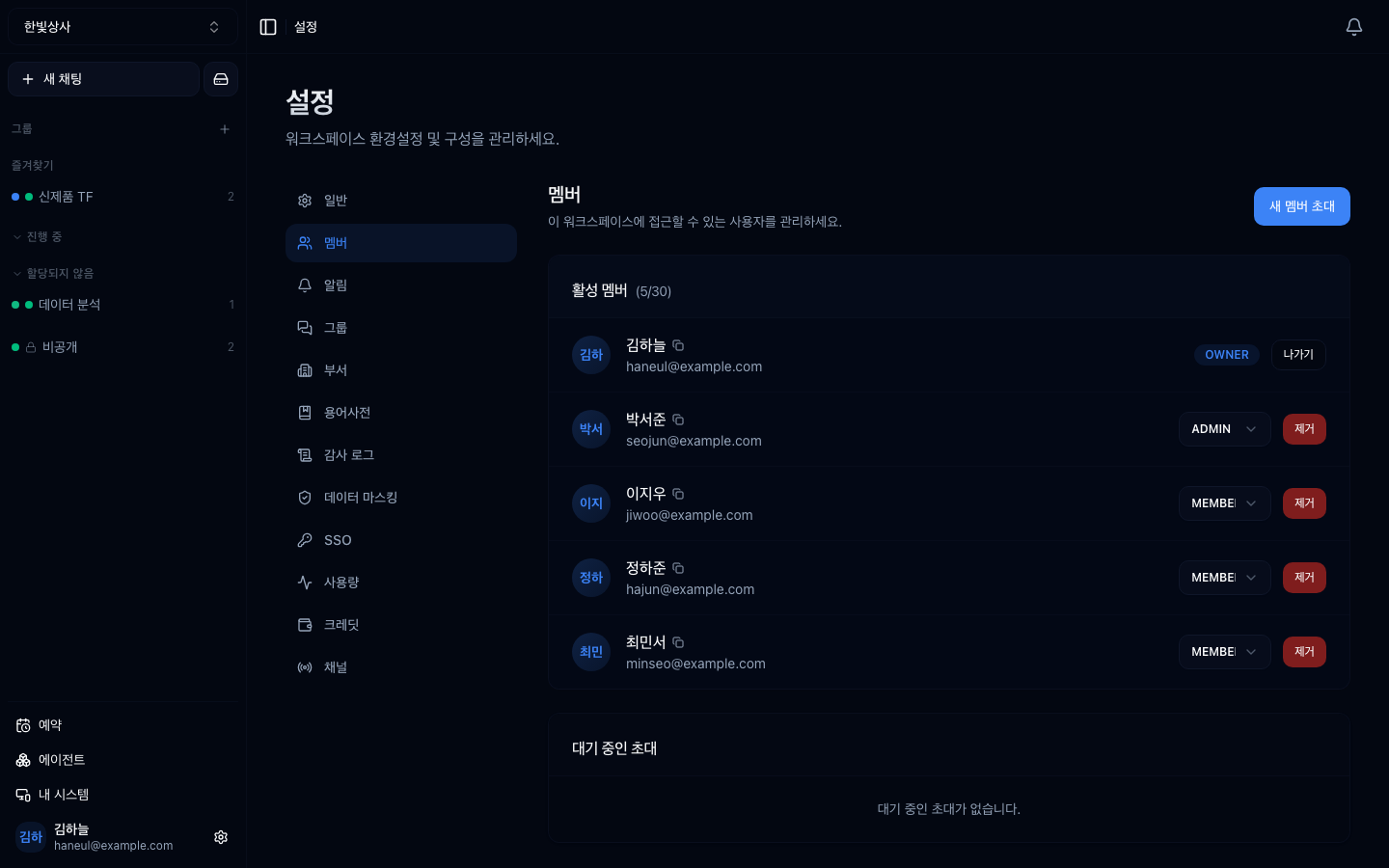
초대는 메일 링크로 나가고, 수락 전까지 대기 중인 초대에 남습니다.
| 역할 | 할 수 있는 것 |
|---|---|
| owner | 전부. 워크스페이스 삭제와 결제 포함 |
| admin | 팀 설정과 관리 화면 대부분. 단 결제·삭제·시스템 등록은 못 함 |
| member | 대화하고 에이전트를 쓰는 것. 관리 화면은 막힘 |
| 할 수 있나 | owner | admin | member |
|---|---|---|---|
| 대화, 에이전트 사용 | ○ | ○ | ○ |
| 에이전트 만들기 | ○ | ○ | ○ |
| 멤버 초대·역할 변경 | ○ | ○ | ✗ |
| 도구 연결 설정 | ○ | ○ | ✗ |
| 시스템 화면 보기 | ○ | ○ | ✗ |
| 시스템 등록·정책 변경 | ○ | ✗ | ✗ |
| 크레딧 결제 | ○ | ✗ | ✗ |
| 워크스페이스 삭제 | ○ | ✗ | ✗ |
시스템만 예외입니다. admin은 등록된 시스템 목록과 상태를 볼 수는 있지만 등록 버튼과 정책 편집 버튼이 보이지 않습니다. 컴퓨터를 새로 붙이는 일은 owner가 해야 합니다.
여기가 실무 판단이 필요한 지점입니다.
| 구성 | 문제 |
|---|---|
| owner 1명만 | 그 사람이 자리를 비우면 시스템 등록·도구 설정이 전부 멈춤 |
| 전원 admin | 권한 경계가 사라짐. 누가 뭘 바꿨는지 추적 어려움 |
| owner 1 + admin 1~2 | 무난 |
owner가 한 명뿐인 것이 가장 흔한 문제입니다. 휴가 중에 도구 연결이 끊기면 팀 전체가 기다립니다.
graph TD
  Q["이 사람에게 admin을?"] --> Q1{"도구·시스템 설정을<br/>직접 해야 하나?"}
  Q1 -->|"예"| A["admin"]
  Q1 -->|"아니오"| Q2{"멤버 관리를 해야 하나?"}
  Q2 -->|"예"| A
  Q2 -->|"아니오"| M["member"]
대화하고 에이전트를 만드는 것은 member로 충분합니다. admin은 설정을 바꾸는 사람에게만 주세요.
멤버를 부르고 아무 안내를 안 하면 들어와서 뭘 해야 할지 모릅니다.
가이드 링크를 함께 보내는 것도 방법입니다 — 첫 대화 따라하기부터 시작하면 됩니다.
| 상황 | 방법 |
|---|---|
| 본인이 나감 | 멤버 화면의 나가기 |
| 다른 사람을 뺌 | 제거 (admin 이상) |
| owner를 바꿈 | 새 owner를 지정한 뒤 기존 owner가 나감 |
퇴사자 정리를 잊지 마세요. 워크스페이스에 남아 있으면 대화 내용에 계속 접근할 수 있습니다.
분기에 한 번쯤 확인하세요.
1. owner를 한 명만 두면 어떤 문제가 생깁니까?
그 사람이 자리를 비우면 시스템 등록, 도구 설정 같은 관리 작업이 전부 멈춥니다. owner 1명 + admin 1~2명이 무난합니다.
2. 에이전트를 만들려면 어떤 역할이 필요합니까?
member로 충분합니다. admin은 도구 연결·시스템 등록·멤버 관리 같은 설정을 바꾸는 사람에게만 주면 됩니다.
3. 멤버를 초대할 때 함께 알려야 할 것은?
이 워크스페이스의 목적, 쓸 수 있는 에이전트, 하지 말아야 할 것, 물어볼 사람 입니다. 안내 없이 부르면 들어와서 뭘 해야 할지 모릅니다.
인원이 늘면 개인 단위 관리가 무너집니다 → 그룹과 부서
□ 이 워크스페이스가 무엇을 위한 곳인지□ 쓸 수 있는 에이전트 목록과 용도□ 하지 말아야 할 것 (개인정보 넣지 않기 등)□ 막히면 누구에게 물어볼지□ 지금 멤버 목록이 실제 팀과 맞나□ admin이 필요 이상으로 많지 않나□ 오래 안 들어온 계정이 있나 HyperTeams