이 장에서 배우는 것 언제 API가 필요한지, 키를 어떻게 다루는지, 그리고 무엇을 조심할지.
API가 무엇인지부터 모르겠다면 API란 무엇인가 · 계정 · 비밀번호 · API 키 · 권한을 먼저 보세요.
화면에서 대화하는 것으로 충분하다면 API는 필요 없습니다. 이럴 때 씁니다.
| 상황 | 예 |
|---|---|
| 다른 시스템에서 부르고 싶다 | 사내 포털에서 요약 기능 제공 |
| 자동화 스크립트에 넣고 싶다 | 매일 리포트를 생성해 메일로 |
| 다른 서비스와 연동 | Slack 봇, 사내 챗봇 |
설정 → 채널 관리 → API 키에서 발급합니다. API 키는 채널 관리 안에 있습니다 — 왼쪽 메뉴 첫 단계에는 안 보입니다.
발급할 때 정할 것:
이름을 대충 지으면 나중에 "이 키 뭐지?" 하고 지우지도 못합니다.
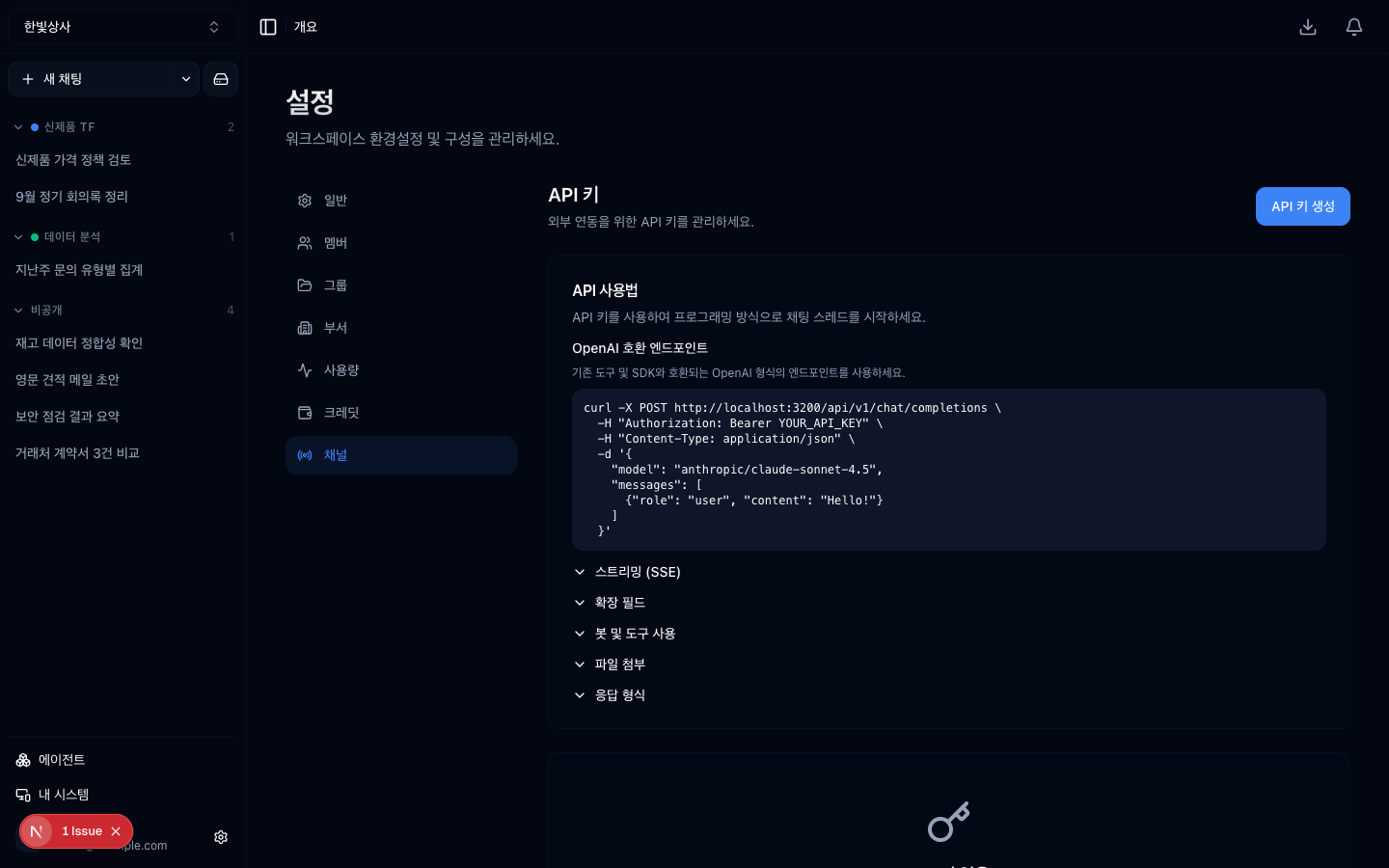
발급한 키 목록입니다. 이름을 알아보게 지어야 나중에 지울 수 있습니다.
/api/v1 경로로 부릅니다. 정확한 요청 형식은 설정 → 채널 관리 → MCP 화면의 API 문서 링크에
있습니다 — 이 가이드에 적으면 실제 API가 바뀔 때 어긋나므로, 그 화면을 보시는
게 맞습니다.
기본 형태는 이렇습니다.
이게 이 장의 핵심입니다.
키는 만들기 쉽고 지우는 걸 잊습니다.
마지막이 실용적입니다. 용도를 모르는 키는 대개 안 쓰이는 키입니다.
| 하지 말 것 | 대신 |
|---|---|
| 코드에 하드코딩 | 환경변수 |
| 저장소에 커밋 | .env를 gitignore |
| 채팅방에 공유 | 비밀 관리 도구 |
| 문서에 붙여넣기 | 참조만 |
노출됐다면 그 키를 즉시 지우고 새로 발급하세요. 지운 키는 바로 무효가 됩니다.
API 키는 그 워크스페이스에 대한 접근입니다.
도구는 권한이라는 관점이 여기도 적용됩니다. 워크스페이스에 연결된 도구가 많을수록 그 키로 할 수 있는 일도 많습니다.
API로 부른 것도 사용량에 기록됩니다. 자동화 스크립트가 예상보다 많이 부르고 있으면 거기서 보입니다.
자동화는 사람보다 많이 부릅니다. 처음 붙일 때는 사용량을 며칠 지켜보세요.
용도별로 나누세요. 하나가 노출되면 전부 바꿔야 합니다. 나눠두면 그 하나만 지우면 됩니다.
실패하면 재시도하되 횟수 제한을 두세요. 무한 재시도는 비용을 빠르게 씁니다.
AI 출력은 매번 조금씩 다릅니다. 자동화에서 응답을 그대로 다음 단계에 넣으면 형식이 어긋날 수 있습니다. 형식을 지정하고 검증하는 단계를 두세요.
1. API 키 이름을 신경 써서 지어야 하는 이유는?
나중에 무엇에 쓰는 키인지 몰라서 지우지도 못하게 되기 때문입니다. "key1"보다 "사내포털-요약기능"이 낫습니다.
2. 용도를 모르는 키는 어떻게 합니까?
지우고 문제가 생기는지 보는 것이 실용적입니다. 용도를 모르는 키는 대개 안 쓰이는 키입니다.
3. 자동화에 API를 붙일 때 주의할 세 가지는?
용도별로 키를 나누기, 재시도에 횟수 제한 두기, 응답 형식을 검증하기입니다. 자동화는 사람보다 많이 부르므로 처음 며칠은 사용량을 지켜봐야 합니다.
이제 이 모든 경계를 보안 검토용 한 장으로 정리합니다 → 보안 검토를 위한 한 장
□ 이름 — 무엇에 쓰는 키인지 알아볼 수 있게□ 용도 설명 — 나중에 이게 뭐였는지 기억하기 위해✗ "key1", "테스트", "api"✓ "사내포털-요약기능", "일일리포트-스크립트"POST /api/v1/chatAuthorization: Bearer <발급받은 키>{ "message": "...", ... }□ 쓰지 않는 키는 지우기□ 담당자가 바뀌면 키도 새로 발급□ 어디에 쓰이는지 모르는 키는 지우고 문제가 생기는지 보기□ 대화를 시작할 수 있음□ 그 워크스페이스의 도구를 쓸 수 있음□ 그 워크스페이스의 자료에 닿을 수 있음 HyperTeams