What you will learn What a workspace is a boundary of, and how to divide them.
The address is /w/<handle>. The handle is a short name you choose when
creating it.
This is the core property.
Workspaces cannot see each other's conversations or material.
One account can belong to several workspaces, but each is independent.
graph TD
  U["My account"] --> W1["Workspace A<br/>Sales"]
  U --> W2["Workspace B<br/>Engineering"]
  W1 -.->|"cannot see each other"| W2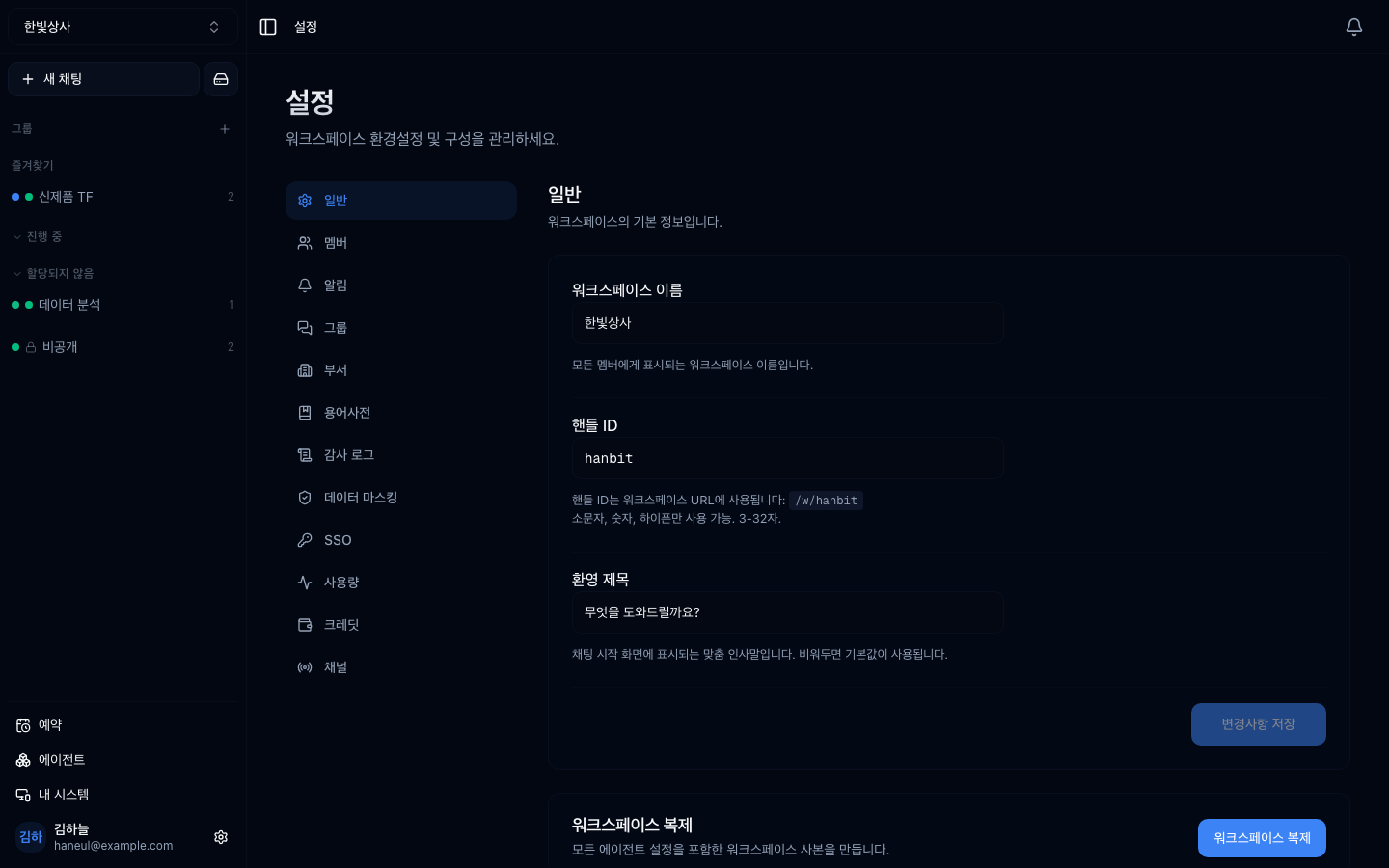
The workspace name, handle, and other basics live here.
This is your first decision, and it is awkward to change later.
The most important one. Split on "should that person be able to see this conversation?"
| Split when | Why |
|---|---|
| A team handling HR data | other teams must not see it |
| Per-client projects | client information must not mix |
| Executive-only discussion | different access scope |
Different workspaces enable different tools.
Mixed together you get the too-many-tools problem.
Usage and credits are per workspace. If costs must be split by department, so must workspaces.
There is an opposite problem.
| Splitting too little | Splitting too much |
|---|---|
| Information mixes | you attach the same tool repeatedly |
| Too many tools | you build the same agent repeatedly |
| No cost separation | hard to find where something happened |
Start with few and split when needed. Splitting is easier than merging.
| Organisation | Setup |
|---|---|
| 10-person startup | 1 workspace |
| 50-person company | 3–5, by department |
| Many client projects | one per client + one internal |
The handle becomes the address.
| Good handle | Avoid |
|---|---|
| Short and memorable | too long |
| A term used in the organisation | placeholder names |
| Lowercase letters | changing it later breaks links |
Moving conversations and agents is not simple. Start with few and add when needed is the safe order.
Yes. And their role can differ per workspace — admin in A, ordinary member in B.
Click the workspace name at the top left of the screen.
1. What is the most important criterion for splitting workspaces?
Information boundaries. Split on "should that person be able to see this conversation?" Workspaces cannot see each other's conversations and material, so this is the practical isolation mechanism.
2. What goes wrong if you split too much?
You have to build the same tools and agents repeatedly, and finding where something happened gets harder. Start with few and split when needed — splitting is easier than merging.
3. What should you watch when choosing a handle?
The handle is the address (/w/<handle>), so changing it later breaks any
links you shared. Pick something short that is used in the organisation.
One job is one conversation → Threads
Workspace ├─ conversations (threads) ├─ agents ├─ connected tools ├─ registered systems ├─ members and permissions └─ usage and creditsSales workspace → CRM, quoting systemEngineering workspace → GitHub, deployment toolshandle: sales → /w/sales HyperTeams