What you will learn How to turn document files into something an agent can work with, and the relationship between the original and the copy.
If file formats and encodings are unfamiliar, start with Shapes of data.
PDFs and spreadsheets can pile up in a working directory without an agent being able to work with them. The fundamental way to reduce hallucination is "give it material and have it answer from within that" — and the material has to be in a readable form.
A markdown copy sits beside the document.
That it is business-plan.pdf.md rather than business-plan.md matters. The
original name is kept whole, so you know which file a copy came from by name
alone.
| Extension | |
|---|---|
pdf | documents, reports, proposals |
docx | Word |
xlsx | Excel |
pptx | PowerPoint |
Only these four. It decides by extension, so the name has to be right.
A frequently missed point.
graph TD
  A["Original document"] --> B{"Which kind?"}
  B -->|"PDF"| C["The copy is a supplement<br/>tables and figures need the original"]
B -->|"docx · xlsx · pptx"| D["The copy is everything<br/>the original cannot be read"]| docx · xlsx · pptx | ||
|---|---|---|
| Can it read the original | yes (by page range) | no |
| Role of the copy | supplement — search and summary | everything |
| Tables and figures | check the original for accuracy | only what made it into the copy |
Find in the copy, confirm in the original — for PDFs. Locate "there is a revenue table on page 3" in the copy, then have it read page 3 of the original for the exact figures. For spreadsheets the copy is everything, so a poor copy is the end of it — important figures need a human check.
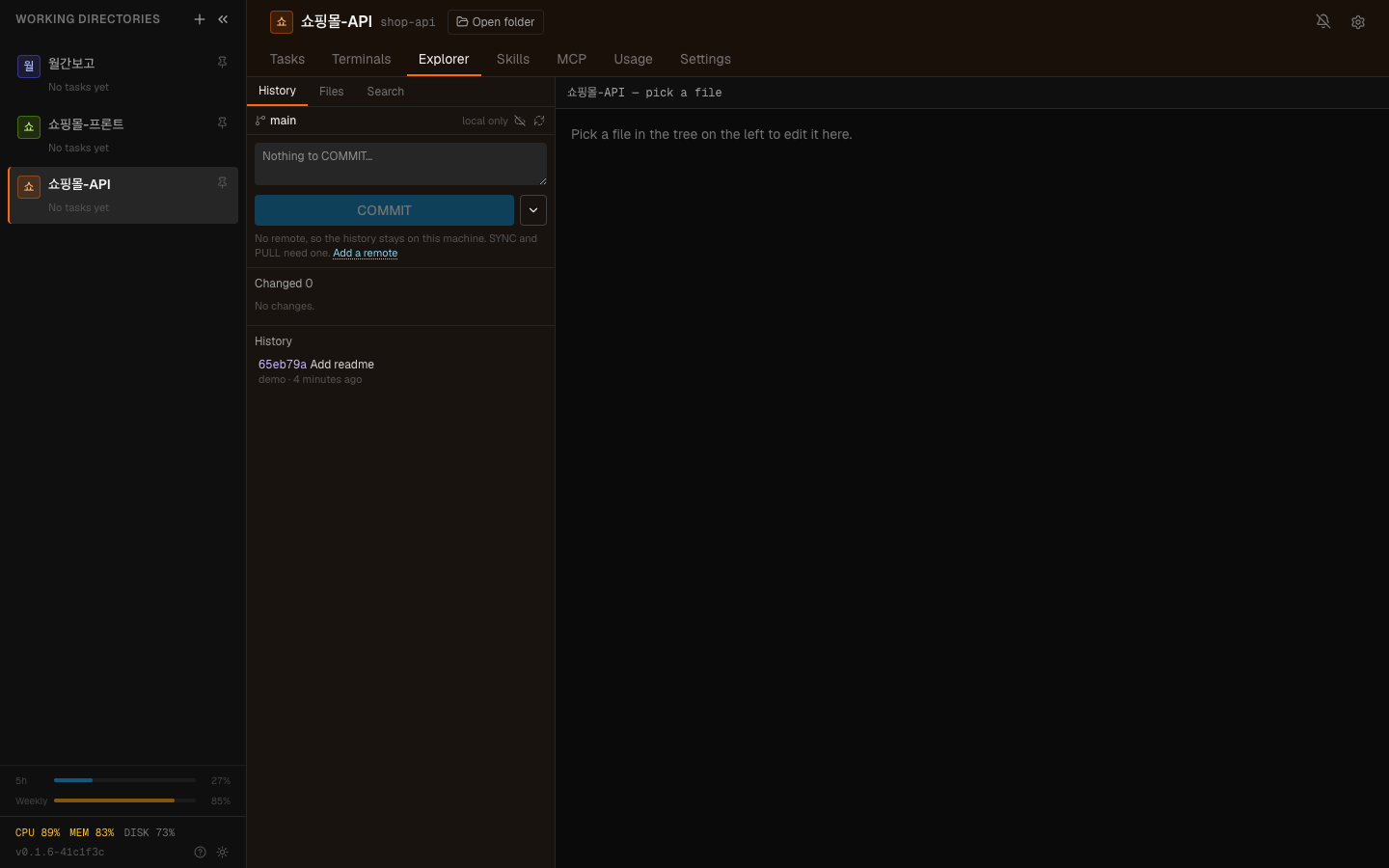
The sidebar's Explorer section shows the folder's files; a file you press opens in the workbench editor. It is also where you make text copies from documents.
| Trigger | Scope |
|---|---|
| When you upload files | only what you uploaded |
| Selecting a file directly | that one file |
Not sweeping a whole folder is the default. Descending through everything converts unrelated documents too, and on a large folder that takes a long time.
If a copy exists and the original has not changed, it is not remade. You can force a rebuild — for when you edited the original and the copy is stale.
Once copies exist, you can search by content.
That request does not work with only the original PDFs. The copy is what search catches.
For a working directory heavy with documents, making copies is step one. Skip it and every summary request reads whole files, which fills the context.
The typical order for a document-heavy folder:
Step 3 is the key. Rather than reading all 100 documents, you narrow to 3 and read those. Same principle as when you have too many tools — reducing candidates raises accuracy.
If the working directory is a repository, decide what to version.
| Target | Version it | Why |
|---|---|---|
| Original documents | depends | large. Fine if they rarely change |
| Text copies | recommended | small, and the change history means something |
| Generated images and audio | exclude | binaries bloat the repository |
Committing the copies makes when and how a document changed visible as history. A changed PDF shows no diff; markdown does.
Hand committing to an agent and it picks words that mean something in this repository for the subject. It surveys all filenames, ignores names that are too common, and uses the ones that actually identify an area.
Rather than maintaining a list of framework boilerplate, it asks the repository directly — a name carried by a large share of the files is boilerplate by definition.
Edit the original and leave the copy and the agent confidently states old content. Rebuild the copy when you change the original.
Tables are the most fragile part of document conversion. For any judgement resting on amounts, dates, or quantities, confirm against the original. "Always verify numbers" from things to watch out for applies directly.
The moment it is in the working directory, that folder's scope is the agent's area of operation. If the system is registered to Connect, workspace members reach it too.
1. Why is the copy named report.pdf.md rather than report.md?
To keep the original name whole so you know from the name alone which file the
copy came from. Drop the extension and the copies of report.docx and
report.pdf collide.
2. How does the copy's role differ between PDF and Excel?
A PDF original can be read directly by page range, so the copy is a supplement for search and summary, while docx, xlsx and pptx originals cannot be read, so the copy is everything. With spreadsheets a poor copy is the end of it, so important figures need a human check.
3. Why make copies first in a document-heavy folder?
To narrow candidates by search before reading. Reading all 100 fills the context and lowers accuracy; narrowing raises it.
Now everything joined into one → Case study — a content factory
business-plan.pdfbusiness-plan.pdf.md ← the copy"Find last year's contracts with no cap on damages"1. Gather documents into the working directory2. Make copies3. Search the copies to narrow to relevant documents4. Have only the narrowed set read closely5. Verify the result (especially figures)□ should this document be in this folder□ does it contain personal data□ is it acceptable for it to be searchable as a copy HyperTeams