What this chapter covers What is recorded, why it keeps accumulating on lower tiers, and why only admins can read it.
One day after rollout these questions arrive.
Settings → Audit log is where the answers live.
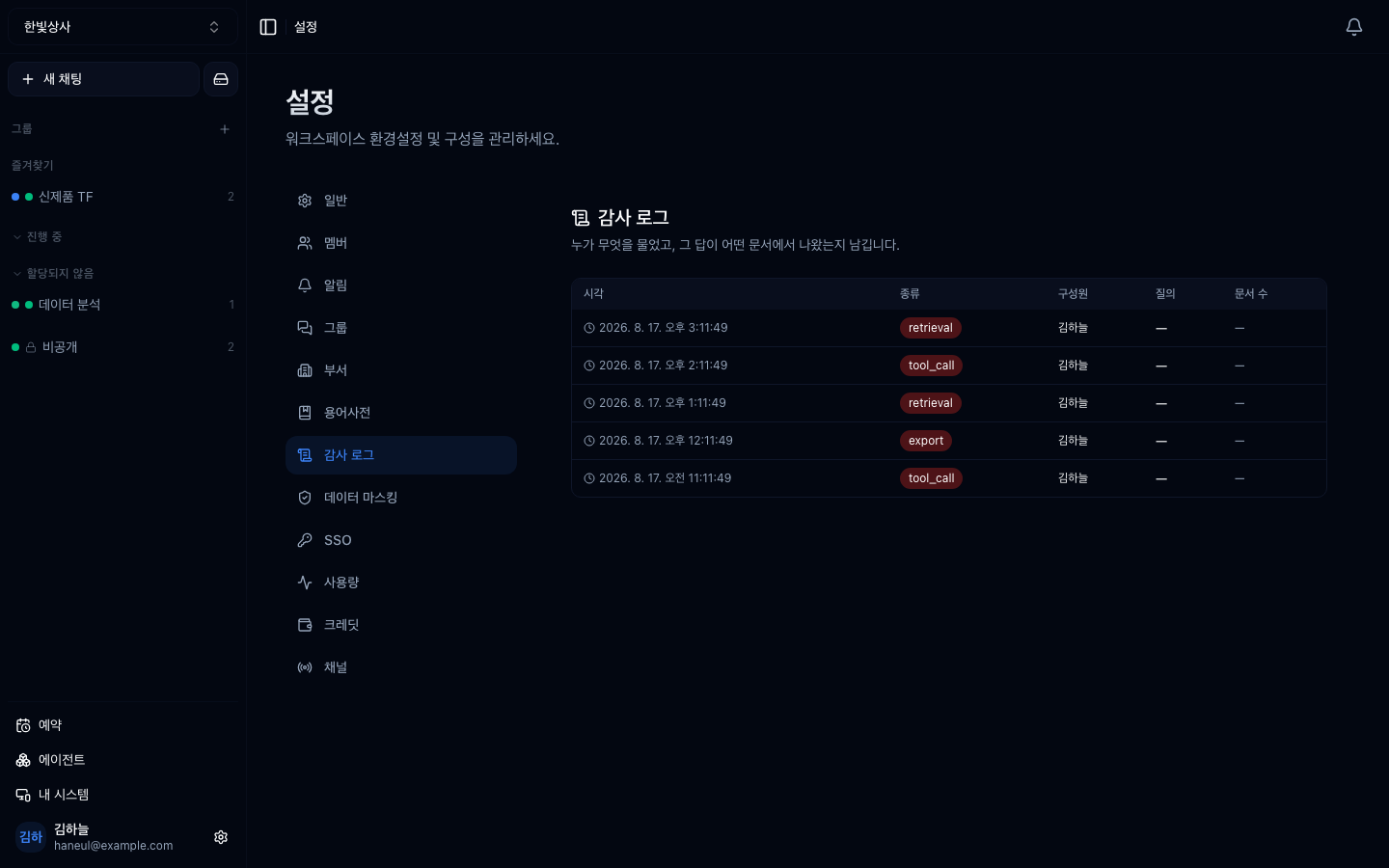
Each line is one sentence — "Handed work to Home · HT Connect", "Member's role member → admin". The chips on top filter five groups.
| Group | What | Source |
|---|---|---|
| Delegation | Handing work to someone's computer · stop · approval answers · git · fetching result files | Remote commands — issued by people only (automatic plumbing like image pulls is left out) |
| Approvals | Folder pre-approvals passed or blocked, irreversible AI calls (sending mail, editing sheets) approved or rejected | Placed at the time of the decision, not when the card appeared |
| Policy | A computer's access level changing — "L2 Share → L3 Delegate · Files off" | Machine policy history |
| Admin | Invites · role changes · removals, API keys issued · revoked, spend limits, IdP provisioning, audit exports | Written in the same transaction as the change — if the record fails, the change fails |
| Retrieval | Documents the AI read while answering | Choosing this group shows the most-cited documents on top |
You can also filter by person, machine and period (7 days to all). Delegation and output-approval lines carry evidence — who asked · which folder on which computer · what that computer was opened to at that moment · who let it through · result files with hashes · cost, on one page. Original text — instructions, email bodies — is never shown here; the conversation shows it after re-checking access.
Every day, records from two days ago are sealed with a hash, and the last seven days are re-checked when the page opens. The band on top is the result.
| Band | Meaning |
|---|---|
| Green | Matches the seals |
| Red | A day changed after sealing — including what and how many ("Output approvals 1 → 0") |
| Question mark | A day has unsealed records — can't be verified |
A seal means "a change shows", not "a change is impossible". A database admin who edits both records and seals can't be caught inside the database — so every export (CSV · JSONL) carries that period's seals at the end. The file you keep becomes a copy outside the database.
This is the core of the design.
Collection always runs. The tier only shortens the viewing window.
| Tier | Window |
|---|---|
| Free, Plus | Screen locked (records still accumulate) |
| Pro | 30 days |
| Max | 365 days |
If collection stopped, an upgrade would only show data from the upgrade onwards — so "what happened during last year's incident?" could never be answered, and the reason to have an audit log disappears. That is why the locked screen says "available on a higher tier" rather than "no records".
The audit log is itself a disclosure path — raw queries and document names sit in it. So only owners and admins can open it; members do not even see the menu.
This is a question that comes up in security review: "who can read the audit trail?" needs an answer.
| Use | How |
|---|---|
| Incident investigation | Which document did the wrong answer come through |
| Compliance | Evidence for high-impact AI documentation |
| Improvement | Frequently cited documents, frequently failing queries |
| Cost | Which work consumes usage (alongside usage) |
This log records what happened inside this product. Tracing a whole agent system needs tree-shaped execution records, which is a separate topic — Audit trails and observability.
It is recorded. It just isn't visible. Upgrade later and that period appears.
Raw queries are stored, so it can. That is why reading is limited to admins. If queries in your workspace routinely contain personal data, turn on masking as well.
1. Why do records accumulate on lower tiers?
So the past is visible after an upgrade. Stopping collection would show only from the upgrade onwards, making old incidents impossible to investigate.
2. Why is the audit log admin-only?
Because raw queries and document names are in it, making the log itself a disclosure path.
3. What is the most-cited documents list for?
It shows what the team actually leans on. More useful for operations than audit — if that document goes stale, every answer goes stale with it.
Reconstruct last week from the log alone. Thirty minutes → Reconstruct a week from the audit log
"Where did this number come from?""Who opened that document?""Why did usage double last month?" HyperTeams