What you will learn How to read Connect's MCP connection screen, the difference between the two directions, and what to check before attaching.
Under Settings → Channel settings → MCP you find this workspace's MCP address and client configuration.
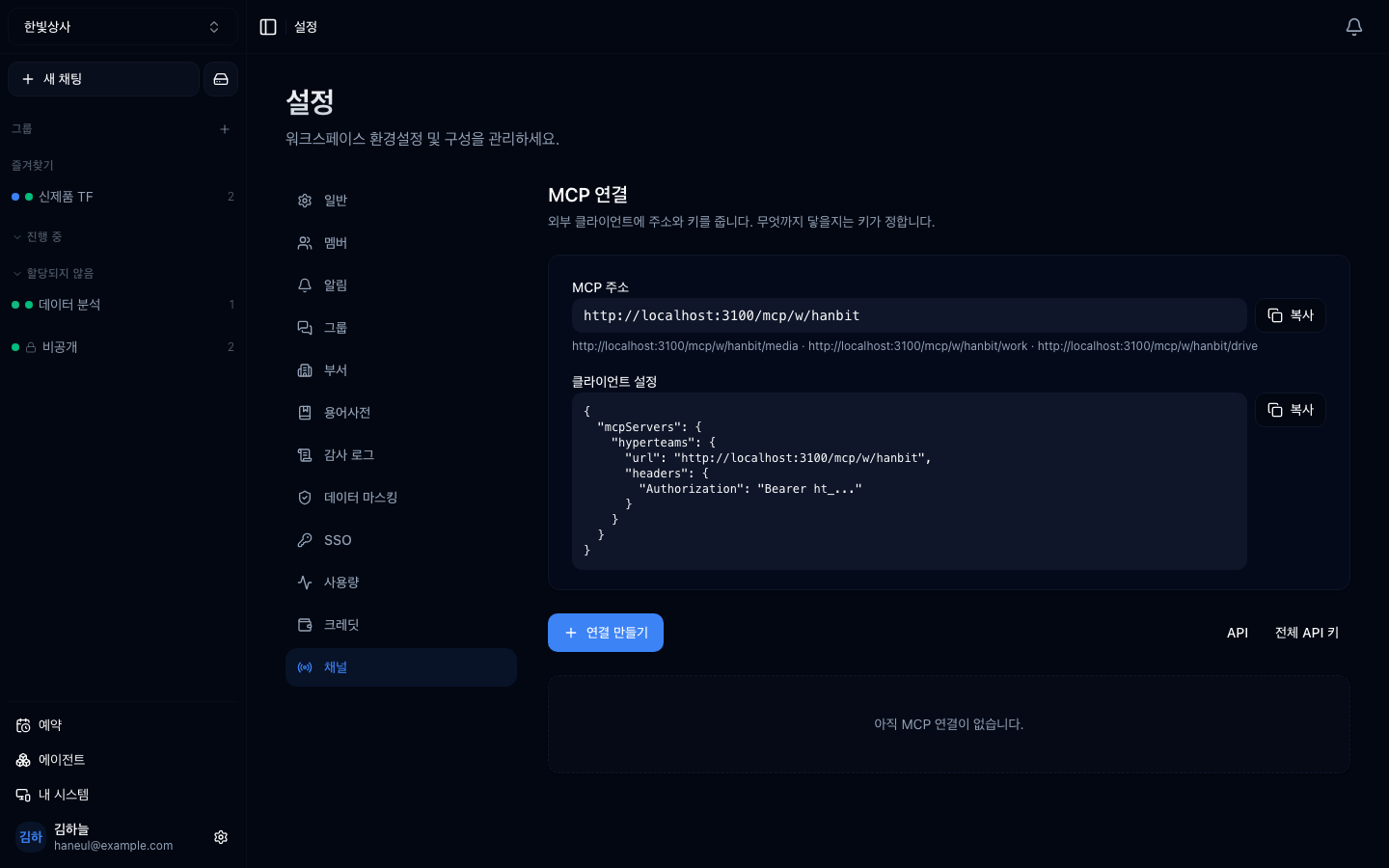
This is the easy part to confuse. A connection has two directions.
graph TD
  E1["External client<br/>Claude Code etc."] -->|"outside-in"| C["Connect workspace"]
C -->|"inside-out"| E2["External MCP server<br/>GitHub · Slack · internal DB"]An external MCP client uses this workspace as a tool.
Copy the MCP address and client configuration from the top of the screen and paste them into that client.
This gives you: the ability to use this workspace's material and tools from Claude Code.
Use Create connection to attach an external MCP server to the workspace.
Attached tools appear in the agent list as APP.
This gives you: the ability to use GitHub, Slack and the like from workspace conversations.
| What you want | Direction |
|---|---|
| Query the internal DB from a conversation | inside-out |
| Use this workspace's material from Claude Code | outside-in |
| Let the whole team work with GitHub issues | inside-out |
Most of the time it is inside-out.
The four checks from tools are permissions, applied here in practice.
Take GitHub: when creating a token you choose its permissions.
✗ all repositories · full read and write✓ this project's repository · issues, read onlyStart with least privilege and widen when needed. Granting wide and narrowing later rarely actually happens.
One MCP server brings in several tools. A single GitHub server can bring 25.
You do not have to leave them all on. Because accuracy falls as tools multiply, keep only what this workspace actually uses. The next chapter's subject.
| Do not | Instead |
|---|---|
| Paste a key into a conversation | enter it on the connection settings screen |
| Share the address and key in chat or issues | only with the people who need it |
| Leave unused connections in place | tidy them up |
If a key leaks, revoking it at the issuer (GitHub and so on) and issuing a new one is the fastest fix.
1. What are the two directions of an MCP connection?
Outside-in is an external client (Claude Code and the like) using this workspace as a tool; inside-out is attaching an external MCP server to the workspace to use in conversation. Most of the time it is the latter.
2. What is the principle when issuing a token?
Least privilege. Grant only what is needed now and widen later. Granting wide and narrowing later rarely happens in practice.
3. Why not leave every tool on after attaching an MCP server?
Because more tools make it harder for the model to pick the right one, and they fill the context. Keeping only what you actually use helps accuracy.
Start with the one people attach most — a database → Connecting a database
{ "mcpServers": { "hyperteams": { "url": "https://.../mcp/w/<handle>", "headers": { "Authorization": "Bearer ht_..." } } }}□ How far does this server reach → the permission on the token you issue is the answer□ Are there irreversible actions → does it include delete, send, or payment□ Can human approval be inserted into those → if not, the right call is not to attach that tool□ Where do the credentials live → never paste them into a conversation□ Would you notice if the server changed → the server announces the tool list. Record it as it stands today HyperTeams